Chicano Script
Connected script, sweeping capitals, and flowing terminal strokes.

Choose a design direction, layout, and ornament level. AI creates a new lettering composition from your words.
Text & layout reference
Your lettering shows up here
This confirms your words and layout. AI will design the letterforms, strokes, and ornament after you generate.
Your recent designs
Sign in to sync your AI tattoo designs across devices. Classic font saves stay in this browser.
Free font previews saved in this browser will appear here. Sign in to view and sync your AI designs.
One word, six different directions. These are actual AI-generated examples of “Familia”. Pick the letterforms and details you want to explore with your own text.
Connected script, sweeping capitals, and flowing terminal strokes.
Angular blackletter, strong vertical strokes, and bold contrast.
Expressive capitals and curled flourishes around a readable inscription.
Light script, open spacing, and restrained extensions.
Vintage display letters with sturdy outlines and shaded details.
Sharp letterforms with thorn-like strokes around the silhouette.
Compare the same word in a live font reference and a generated composition. AI can reshape capitals, connections, and ornament. Each generation can look different. If you want a design from an idea rather than a word, try the AI tattoo generator.
Start with a name, a family word, or a short phrase. These examples show the actual generated text and the style used.
Amelia in Chicano Script, with a drawn capital and flowing finish.
Familia in Gothic / Blackletter, with bold strokes and open counters.
Amor Fati in Ornamental Calligraphy, with loops around the phrase.
Use the live reference to explore your words and arrangement. AI interprets those selections when it creates the final composition.
A wide composition for a name or phrase read from left to right.
Upright words arranged from top to bottom in their reading order.
A gentle upward curve while keeping the inscription readable.
Prioritize letter shapes and spacing, with a few short extensions.
Add a controlled number of flourishes around the core letters.
Explore richer loops and secondary strokes around the inscription.
Fine-Line Script and Cyber Sigilism offer Minimal and Balanced. The other four styles also offer Ornate.
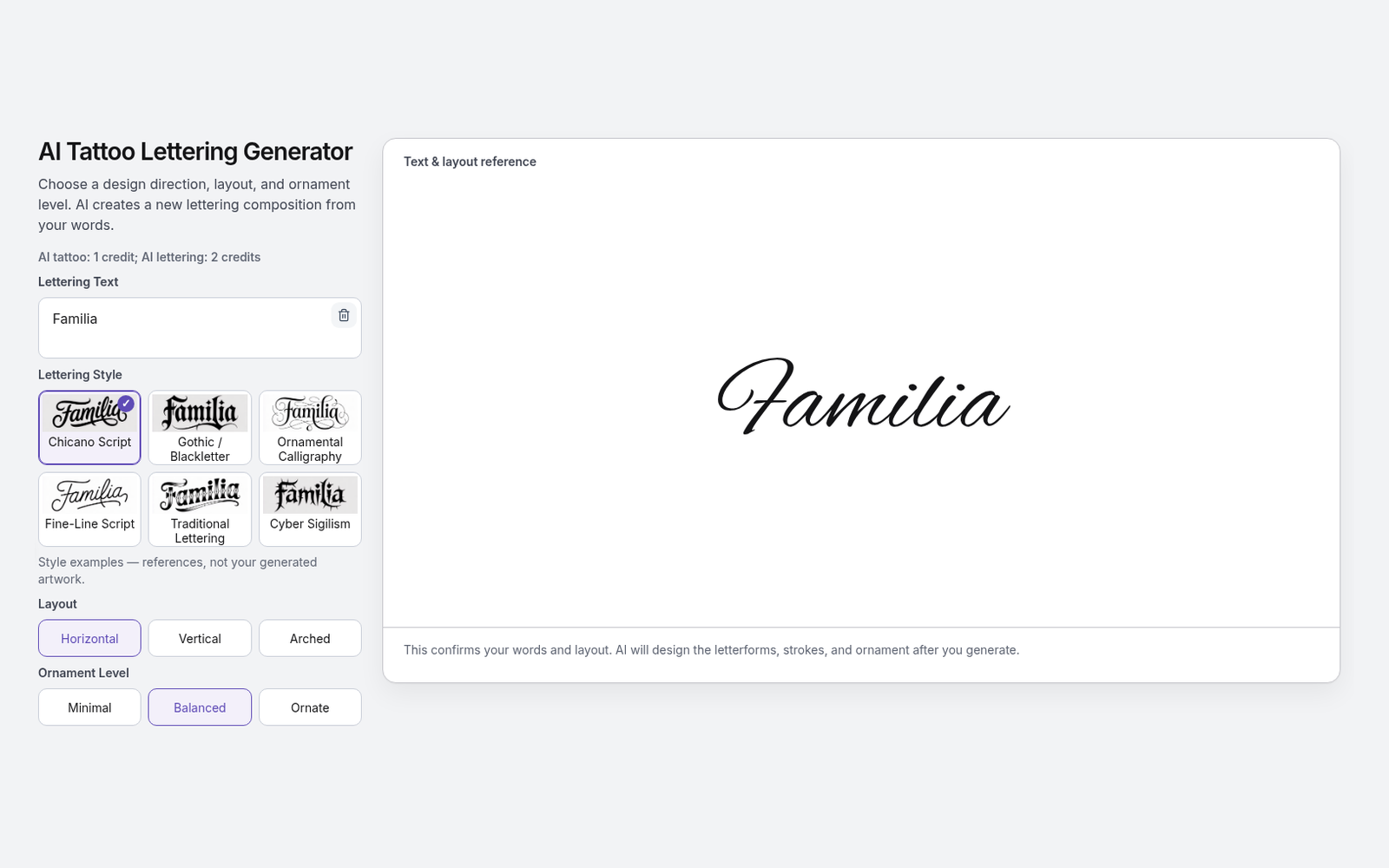
Type a name or short phrase. The text reference updates as you edit. Check the spelling before submitting.
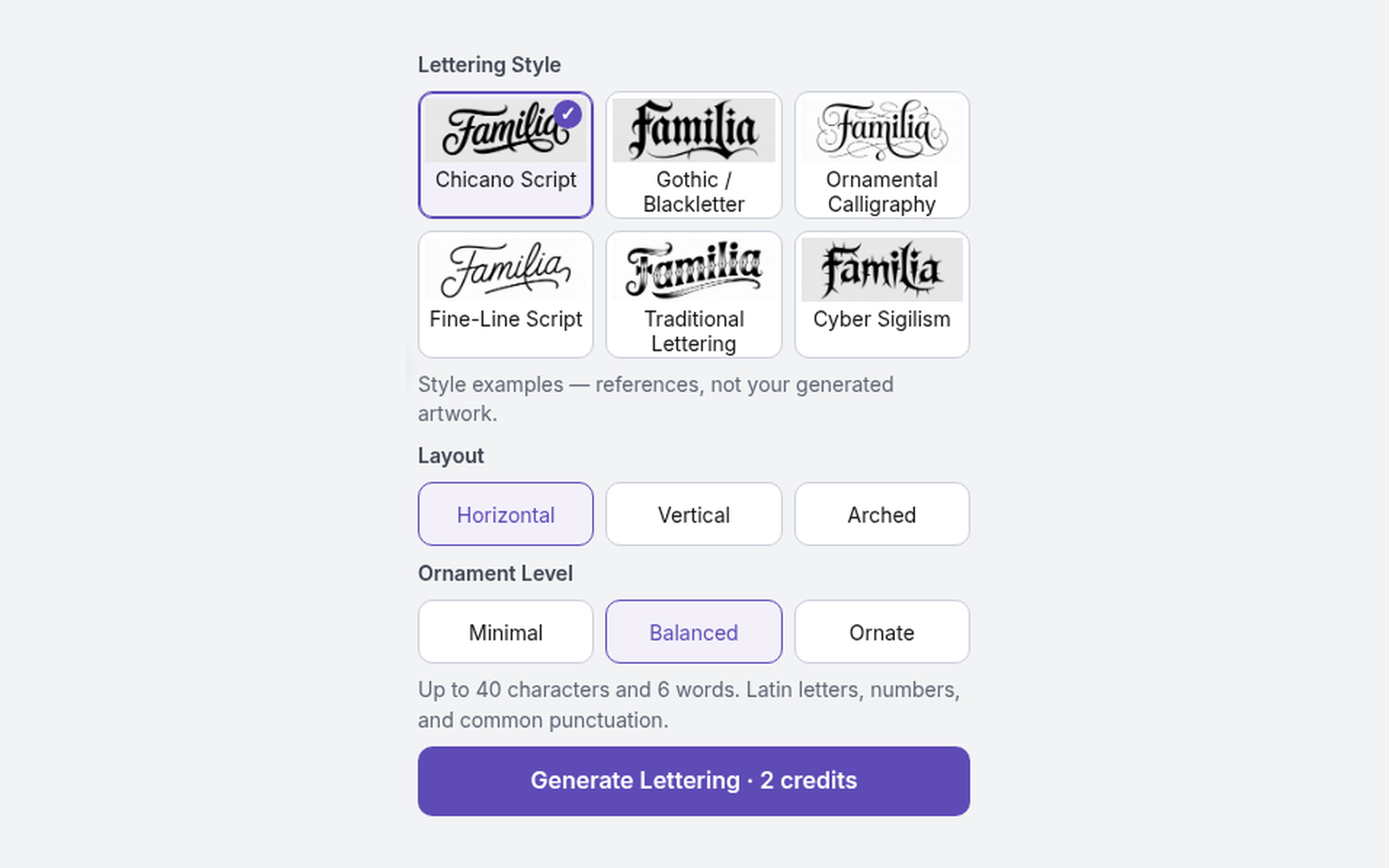
Select a style, layout, and ornament level. Sign in and generate for 2 credits. The progress area keeps the words you submitted visible.
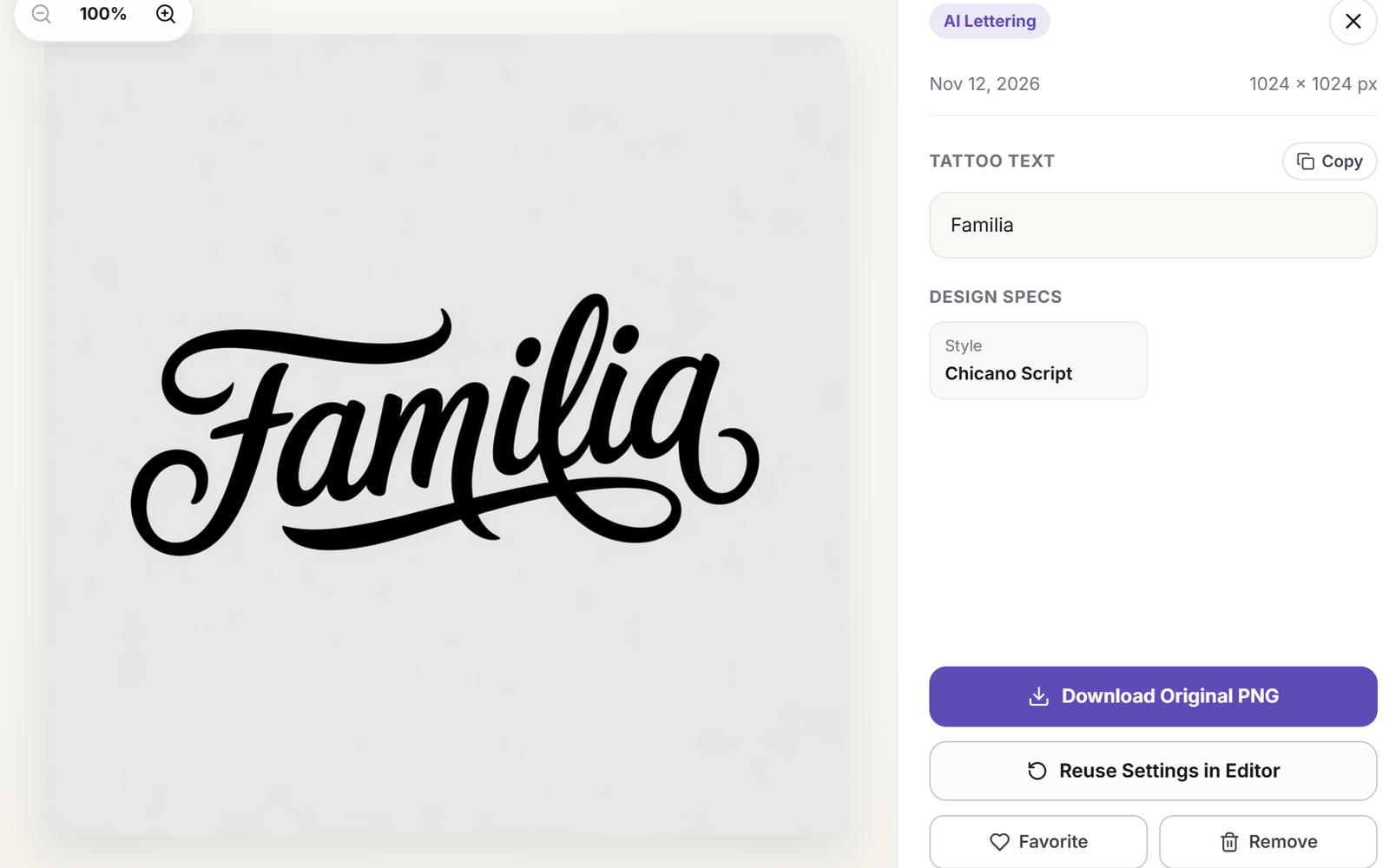
Your completed design is saved to My Designs. Download the PNG and ask your artist to review the letters, line thickness, size, and placement.
AI may change spelling, capitalization, or punctuation. Review the entire inscription before tattooing.
A font preview renders your text in an existing typeface. AI lettering generates an image with newly drawn letterforms, strokes, and decoration. Use the free Tattoo Font Generator to compare fonts, or this tool to explore generated compositions.
Each generation uses 2 credits and requires an account. New accounts receive 3 trial credits. Credits are returned if generation fails or the image cannot be saved. A spelling or style difference in a successfully delivered image does not automatically trigger a refund. See the pricing page for credit packs and plans.
Use up to 40 characters and 6 words. Cyber Sigilism supports up to 16 characters and 2 words. Latin-script letters, accents, numbers, and supported punctuation are accepted. Unsupported text shows a message before submission.
AI can change letters, capitalization, or punctuation. Automatic OCR matching is currently disabled. Read the complete result carefully and confirm it with your tattoo artist.
Yes. Open the completed design in My Designs and use Download PNG. My Designs also shows the actual pixel dimensions of the saved image.
The progress area keeps showing the words you submitted. The reference below updates with your new text. When the earlier design is ready, it is saved to My Designs so you can keep working on the current reference.
Use Reuse Settings in Editor from My Designs to restore its text and selections. Change the style, layout, or ornament, or generate another variation. Each new generation uses 2 credits.
Bring the PNG to your artist as a design reference. They should review spelling, redraw details where needed, and decide suitable line thickness, size, and placement before preparing a stencil.
Font previews and font PNG downloads are free and do not use credits. AI tattoo lettering is a separate tool: each generation uses 2 credits and requires an account. New accounts receive 3 trial credits. See the pricing page for credit packs and plans.
There is no single best tattoo font. Script usually suits names; Gothic or Old English suits short, bold words; serif is clearer for dates and longer quotes. Preview those options in the Tattoo Font Generator. If you want custom letterforms rather than an existing font, generate a design with this AI tattoo lettering generator.
Yes. This tool is for names and short phrases, including dates and brief quotes, within the character and word limits on the page. Choose a script style, check the spelling and capitalization before you generate, and read the finished image carefully, because letterforms can change. For a longer quote, or if you only need to compare existing typefaces, use the Tattoo Font Generator. Dates often stay clearer in a simpler script, or in a serif or typewriter font if you prefer a font preview instead of custom lettering.
Download the PNG from My Designs and view it at the intended tattoo size. Ask your artist to check spacing, stroke thickness, and whether fine ornament will hold as the tattoo heals. Because generated lettering can alter letters or punctuation, confirm every character against the text you entered. The image is a reference, not a stencil; your artist may redraw or simplify the lettering. If you want typographic alternatives, compare the same words in the Tattoo Font Generator and bring both options to the appointment.
Start with your words. Choose a direction and explore a composition of your own.